Solve the Case Investigation Checklist
Everything to stage before you open Play 1—and how to stay unspoiled when you get stuck.
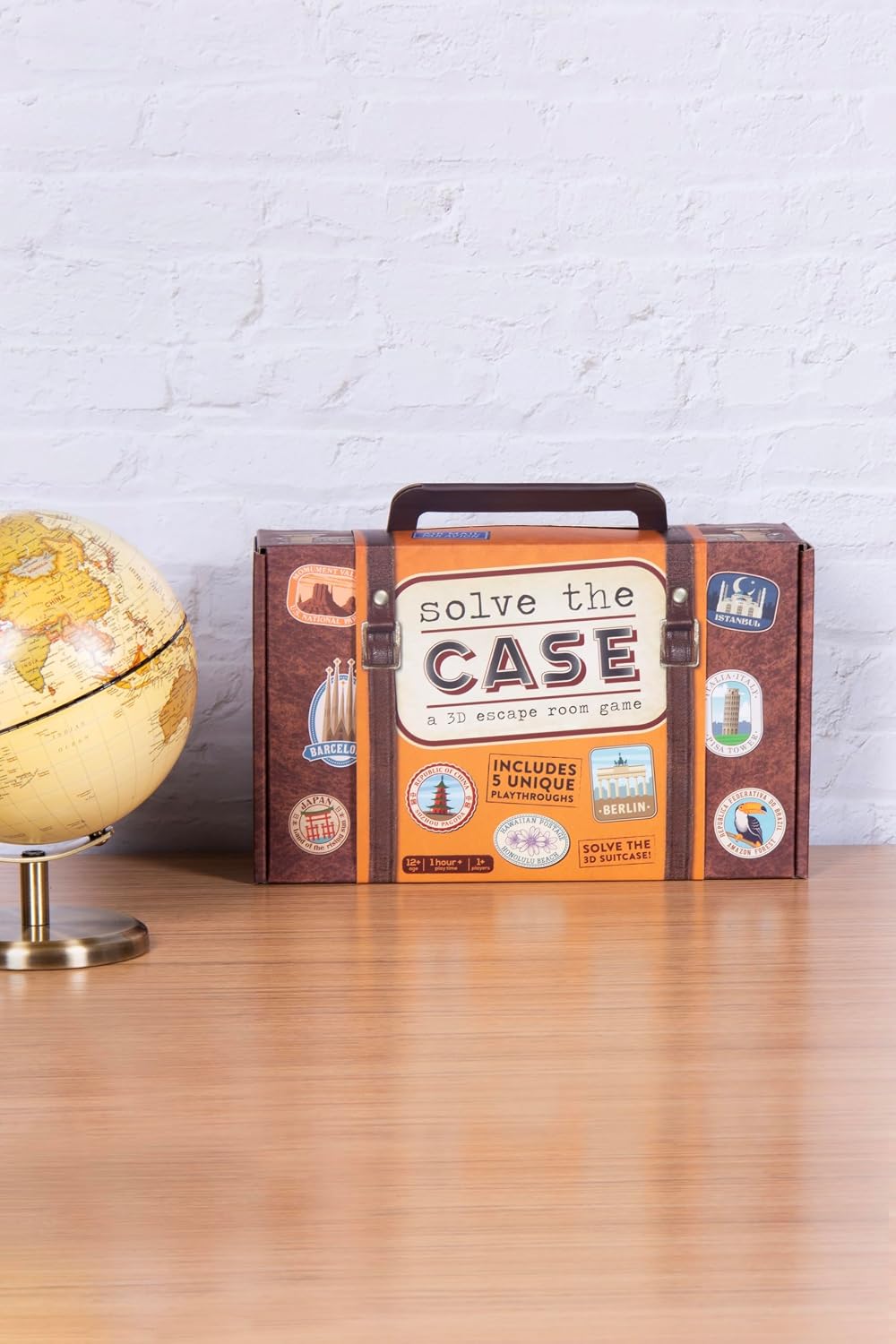
Solve the Case arrives as a self-contained suitcase, but the best sessions still borrow a few everyday tools. Official instructions call for a timer or clock set to sixty minutes plus pens and paper. This Tools Hub turns that advice into a practical checklist covering space, envelope discipline, spoiler hygiene, and a clear ladder from gentle hints to full walkthroughs. Use it before Getting Started or as a pre-flight list for Family & Date Night.
Nothing here replaces the physical product. These are aids for local shared play around one case—solo or with a team in the same room.
Core kit (do not skip)
| Item | Why it matters |
|---|---|
| Visible timer | Recreates escape-room pressure; phones work if notifications are off |
| Pens / pencils | Draft codes without marking irreplaceable art until sure |
| Scrap paper | Equations in Play 2, truth tables in Play 5, scratch work everywhere |
| Clear table | Suitcase open flat, cards in rows, drinks in a separate zone |
| Good lighting | Stickers, tiny icons, and alignment puzzles punish gloom |
Optional upgrades: sticky notes for parking theories, a second lamp, a tray to keep finished cards from sliding into the case hinges, and a small bowl for any loose bits you must not lose between nights.
Space setup checklist
- Clear a surface wider than the open suitcase on all sides.
- Place only the current play envelope within easy reach.
- Park future numbered plays in a sealed stack out of arm’s reflex range.
- Keep completed plays accessible but orderly—later scenarios need them.
- Assign seats so at least two people can see the case interior without standing on each other.
- Establish a “wet zone” for drinks far from cardboard and scratch coatings.
If you are playing solo, the same layout applies; you are simply filling every role yourself. See the Players Hub for role definitions when more detectives join.
Envelope discipline
The suitcase fantasy dies the moment someone peeks at Play 5 during Play 1. Treat envelopes like evidence bags:
- Open numerically—never jump ahead.
- Read the exterior labeling before breaking the seal.
- Remove cards onto the table; do not bury extras back inside the case randomly.
- When a play ends, reunite its cards so the next session starts clean.
- Do not discard prior plays; the instructions warn you will need them again.
Photograph the tidy end state if you must pack away mid-campaign.
Spoiler hygiene
Modern tables keep phones nearby, which means accidental thumbnails from official walkthrough videos or this wiki can ruin a reveal. Agree on rules:
- Timer app only, or airplane mode during active solving.
- No image search for component photos mid-play.
- One person may unlock a hint page after a vote, sharing only the paragraph the group needs.
- Streamers or parents joining late get a spoiler briefing in another room—not shouted across the table.
Bookmark these safe tiers in advance:
- Re-read cards and re-check the suitcase panels.
- In-box hint / answer sheet guidance when you choose to use it.
- Tips and Hints for soft nudges.
- Specific play pages with labeled spoilers: Play 1, Play 2, Play 3, Play 4, Play 5.
- Full sealed answer sheet from the manufacturer as last resort.
When to use hints vs walkthroughs
Take a hint when the group repeats the same dead end, morale drops, or younger players disengage. A hint that restores momentum is part of good hosting—not a failure.
Open a walkthrough when hints are exhausted, the timer is effectively dead, and people still want narrative closure. Jump to the section you need; do not skim every play’s finale “just in case.”
Wait when you have not yet tried aligning pieces physically, reading every card edge, or writing the problem out. Many “impossible” steps resolve after one careful relayout.
Play 4 deserves a special mention: community feedback flags its coin orientation rule as unusually easy to misread. Budget emotional patience and escalate the hint ladder earlier than you did on Plays 1–3. Context lives on the Difficulty Tier List.
Session timer playbook
- Start the clock when the first card of the current play is fully read.
- Call a status check at 30 minutes: what is known, what is blocked, whether a hint is warranted.
- At 10 minutes remaining, decide collectively to push, hint, or accept overtime.
- Home groups often continue after sixty minutes for fun; decide that policy before frustration peaks.
Care and reset tools
- Soft cloth for dust; avoid liquids on printed coatings.
- Resealable bag for any detached card stacks between weekly sessions.
- Inventory pass after Play 5 so the suitcase can be gifted or stored complete.
- Note the edition or seller if you ever need replacement guidance—see Updates and Where to Buy & Links.
Quick printable-style checklist
- Timer set to 60:00
- Pens + scrap paper
- Lighting OK
- Drinks off the cardboard
- Only current envelope on table
- Prior plays available
- Future plays sealed elsewhere
- Roles assigned (lead, reader, scribe, checker)
- Hint ladder agreed
- Phones on timer-only mode
Run that list before every envelope and your investigation stays closer to an escape room and further from a scavenger hunt through spoiled tabs. When the tools are ready, return to the Guides Hub and open the next play in order.
Frequently Asked Questions
Quick answers for detectives stuck on the case.
What supplies does Solve the Case require beyond the suitcase?
At minimum a sixty-minute timer and pens with scrap paper. Strong lighting and a clear table dramatically improve alignment and sticker puzzles.
Should we mark answers directly on the case?
Prefer scrap paper until the group agrees on a code. Some interactions involve designated scratch or sticker areas—use those only when the cards tell you to.
How do we stay unspoiled while still getting help?
Vote before unlocking help, climb from re-reads to Tips and Hints, then to a single play walkthrough section. Avoid browsing every answer page at once.
Is a phone OK as the timer?
Yes if notifications and browsers stay closed. Many groups appoint a timer keeper so nobody “quickly checks” a search result.